Chord Maker
Chords that live in the same document as your lyrics
The ChordMaker is the harmonic center of LandChords, the free online songwriting app. Most chord tools hand you a progression and stop there. This one keeps the progression attached to the song it belongs to, so your chords, lyrics, and vocal takes stay in one place from first idea to finished demo. No music theory required to get started.
Start freeNo credit card · runs in your browser · desktop & mobile
Build progressions by Roman-numeral degree
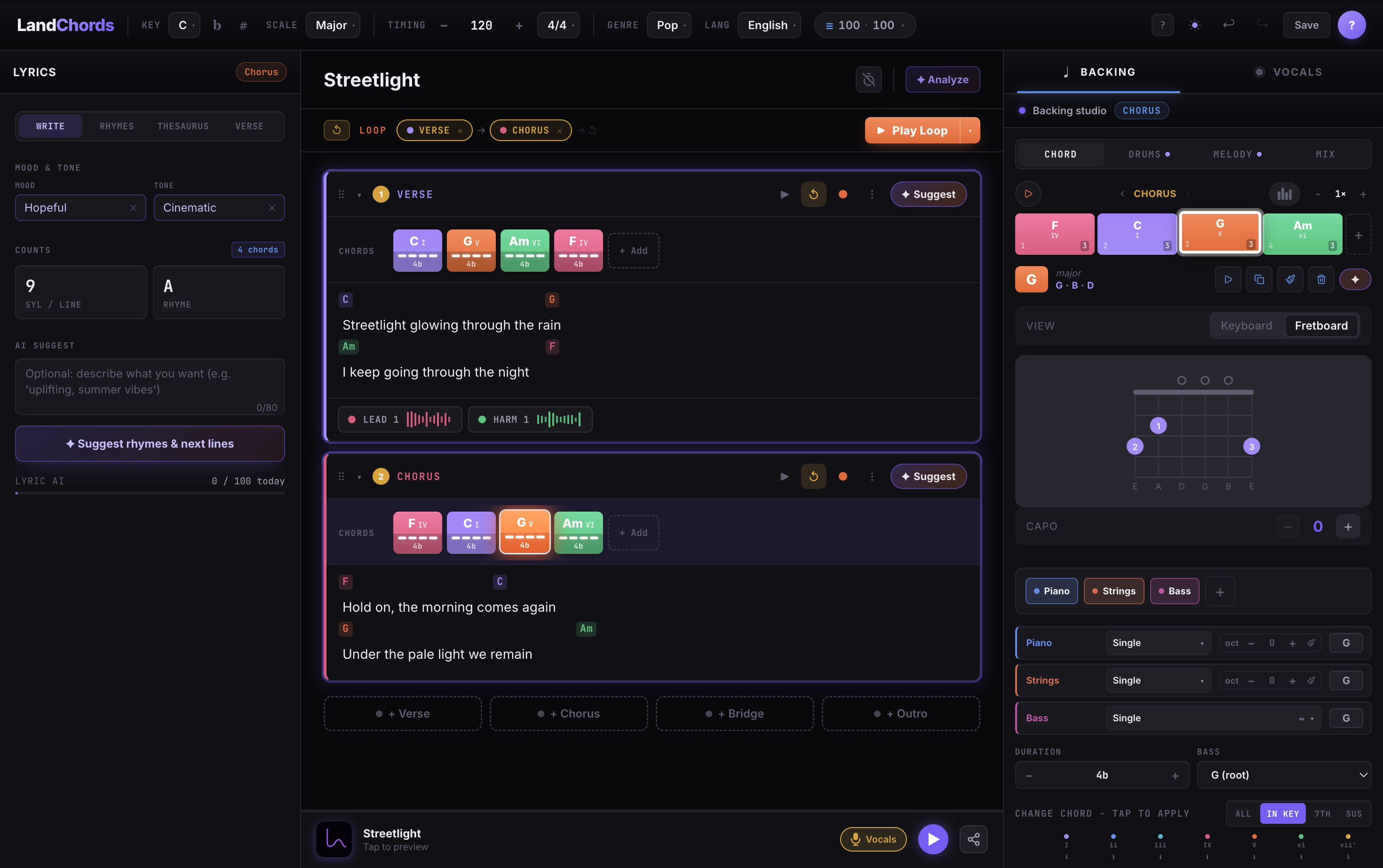
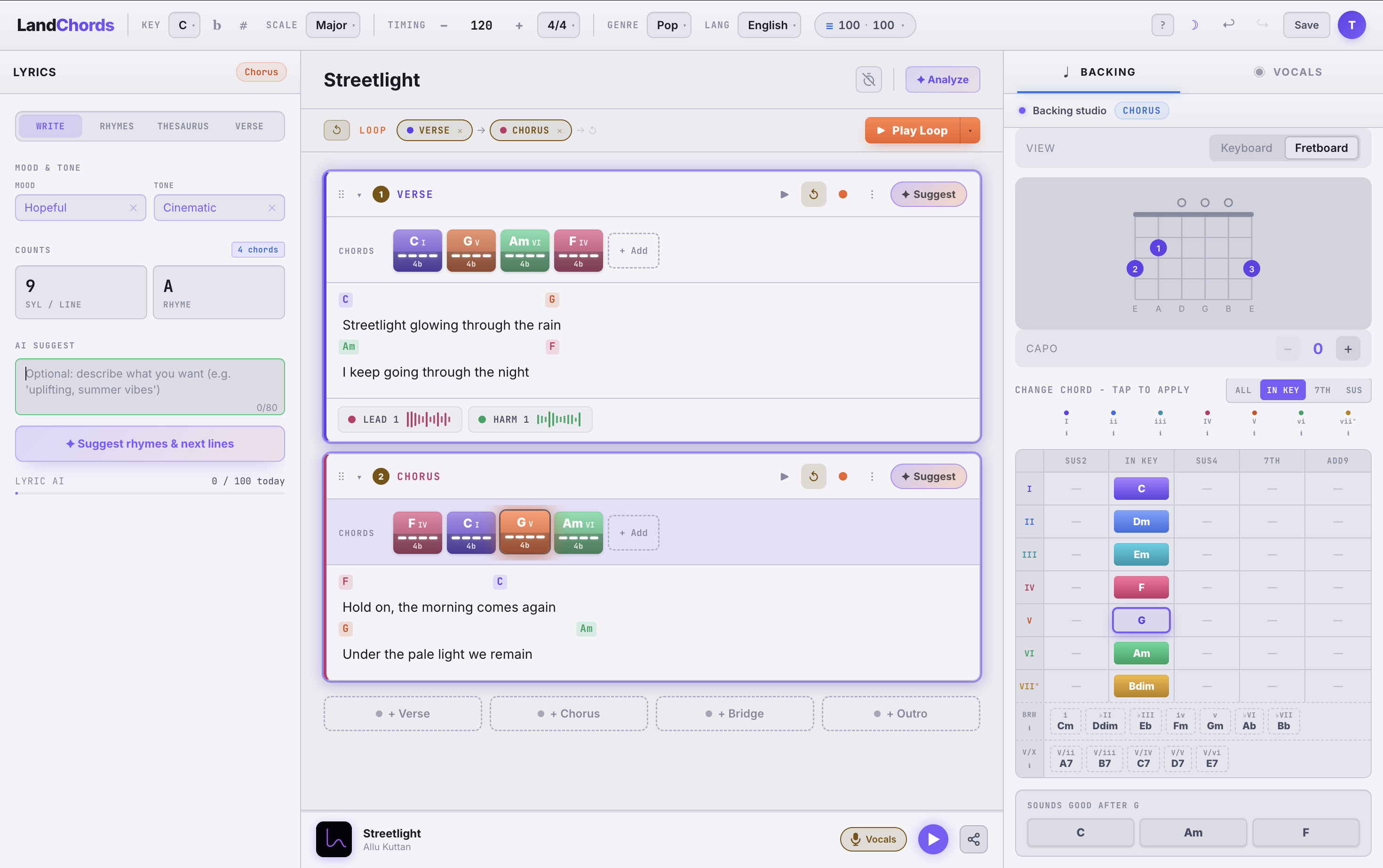
Pick a key and time signature, then add chords by scale degree: I, IV, V, vi, ii, iii, vii°. Because everything is relative to the key, the same progression makes sense whether you are in C or F♯, and transposing is a single click.
Each chord is colour-coded by its degree, so you can see the harmony of a whole section at a glance instead of decoding a wall of chord symbols.
Hear it with real instruments
Play any chord or the whole progression back with sampled piano, acoustic guitar, electric bass, or ukulele. Set per-chord beats so the playback follows your actual rhythm, and loop a section while you experiment.
Stay diatonic, or break the rules on purpose
Diatonic suggestions show you which chords belong in the key, so you can stack a believable progression fast. Want tension? Drop in a borrowed chord and the colour coding makes the outside chord obvious.
Ask the AI for the next chord
Stuck on the next move? The built-in AI suggests the next chord or a whole section in your key and genre, then you tweak what comes back. Every plan includes a few AI chord suggestions a day, and Pro raises the daily limit.
If you just want to spin up a progression without signing in, the free Chord Progression Generator tool does that in the browser and needs no account.
Frequently asked questions
Is the chord maker free?
Yes. You can make progressions, hear them with instrument samples, and save two songs on the free plan with no credit card. AI chord suggestions come with a small daily limit on free; Pro raises that limit and unlocks unlimited songs.
How is this different from the free Chord Progression Generator tool?
The free tool is a standalone playground: open it, build a progression, hear it back, no account needed. The ChordMaker is the same idea inside a real song, where the progression sits next to your lyrics and vocal takes and follows the song when you transpose it.
Do I need music theory to use it?
No. Diatonic suggestions show you which chords belong in your key, and the colour-coded Roman numerals make the relationships visible as you go, so beginners can build progressions by ear while picking up the theory naturally.
Do I need to install anything?
No. LandChords runs entirely in your browser on desktop and mobile. There is nothing to download or install.
Can I transpose a progression to another key?
Yes. Because chords are stored by Roman-numeral degree, transposing the whole song to any key is a single click.