Home Recording Tips for Rough Demos That Work
A rough demo does not need to sound like a record. It needs to be good enough to communicate the song — good enough for you to hear what it is becoming, good enough to share with a co-writer or a producer who understands they are hearing a sketch, not a finished production.
That bar is achievable in almost any room with almost any microphone, including the one on your phone. The difference between a demo you can work with and one you cannot is not budget — it is technique. Here is what actually matters.
The room matters more than the mic
This is the most counterintuitive home recording lesson, and the most important: the room you record in has a bigger impact on how your vocal sounds than the microphone you use.
A bad room creates reverb (the room itself echoing around you), flutter echo (fast repeating reflections off parallel walls), and low-end buildup (bass frequencies accumulating in corners). These problems are baked into the recording the moment you press record, and they cannot be removed in editing. You can spend money on a better microphone, but if the room sounds bad, the mic will just capture the bad room more clearly.
The good news is that a good recording space does not have to cost anything. The best room in most homes is a small one with soft surfaces. Soft furnishings absorb sound reflections instead of bouncing them back at the microphone.
The best free recording space in most houses is a clothes closet full of hanging garments. The clothes act as acoustic panels. The small size reduces reverb. If you can stand inside and sing, it will almost certainly sound better than your bedroom or living room.
If a closet is not available, try:
- Recording in a corner with a thick blanket hung behind you and draped over a chair in front of you.
- Using a bed — lying on your back and holding the mic above you, surrounded by pillows and duvet, gives surprisingly dry results.
- Recording in a car with the windows up. Car interiors are heavily padded and irregular in shape.
Before every session, record five seconds of silence in the room and listen back. If you can hear obvious reverb or echo, move somewhere else.
Mic placement
Where you position the microphone relative to your mouth changes the recording significantly.
For a USB condenser microphone:
- Distance: 6–12 inches from your mouth. Closer than 6 inches picks up plosives (the thud on P and B sounds) and breath noise very aggressively. Further than 12 inches starts capturing more room sound relative to your voice.
- Angle: Point the microphone slightly off-axis — angled at your nose or forehead rather than directly at your lips. This reduces plosive impact without reducing volume. A pop filter mounted on a gooseneck does the same job and is worth the few dollars it costs.
- Height: Microphone at mouth height or slightly above, tilted down toward your mouth. Avoid pointing it up at your chin — the angle increases proximity effect and makes the low end boomy.
For a phone microphone:
- Use the same 6–12 inch distance.
- The microphone is usually at the bottom edge of the phone. Point that edge toward your mouth.
- Keep the phone on a stand rather than holding it — even small hand movements cause noise.
Do a test recording and listen on headphones before committing to a session. If you hear plosives, move the mic further off-axis or add a makeshift pop shield (a stretched piece of tights over a wire frame works perfectly).
Setting levels
The level your recording comes in at determines how much useful dynamic range you have to work with. Two common mistakes:
Too quiet: If you set the input gain too low, the vocal sits near the noise floor of your microphone or audio interface. When you bring the fader up in the mix to compensate, you also bring up the hiss and room noise. A recording that is too quiet has a noise problem baked in.
Too loud: If you set the input gain too high, loud notes clip — the waveform hits the ceiling of the recording and the peaks become a distorted flat line. Digital clipping cannot be fixed. It is a destroyed recording.
The target zone is peaks around -6 dB on the level meter. This leaves 6 dB of headroom for the loudest note you are going to sing, which means you are unlikely to clip even on a take that is more energetic than your test.
Here is the practical process:
- Set up your mic and arm the track.
- Sing the loudest phrase in the song — the big note in the chorus, the belt, whatever is most demanding.
- Watch the level meter. Adjust the input gain until the peaks of that phrase land around -6 dB.
- Record a 30-second test take and check that nothing clips. Adjust if needed.
- Leave the gain alone for the session. Do not adjust it take to take.
Record over a backing track
Recording a vocal into silence is one of the hardest things a singer can do. Without rhythmic or harmonic context, it is almost impossible to stay in time, and it is difficult to access the emotional performance that makes a vocal compelling.
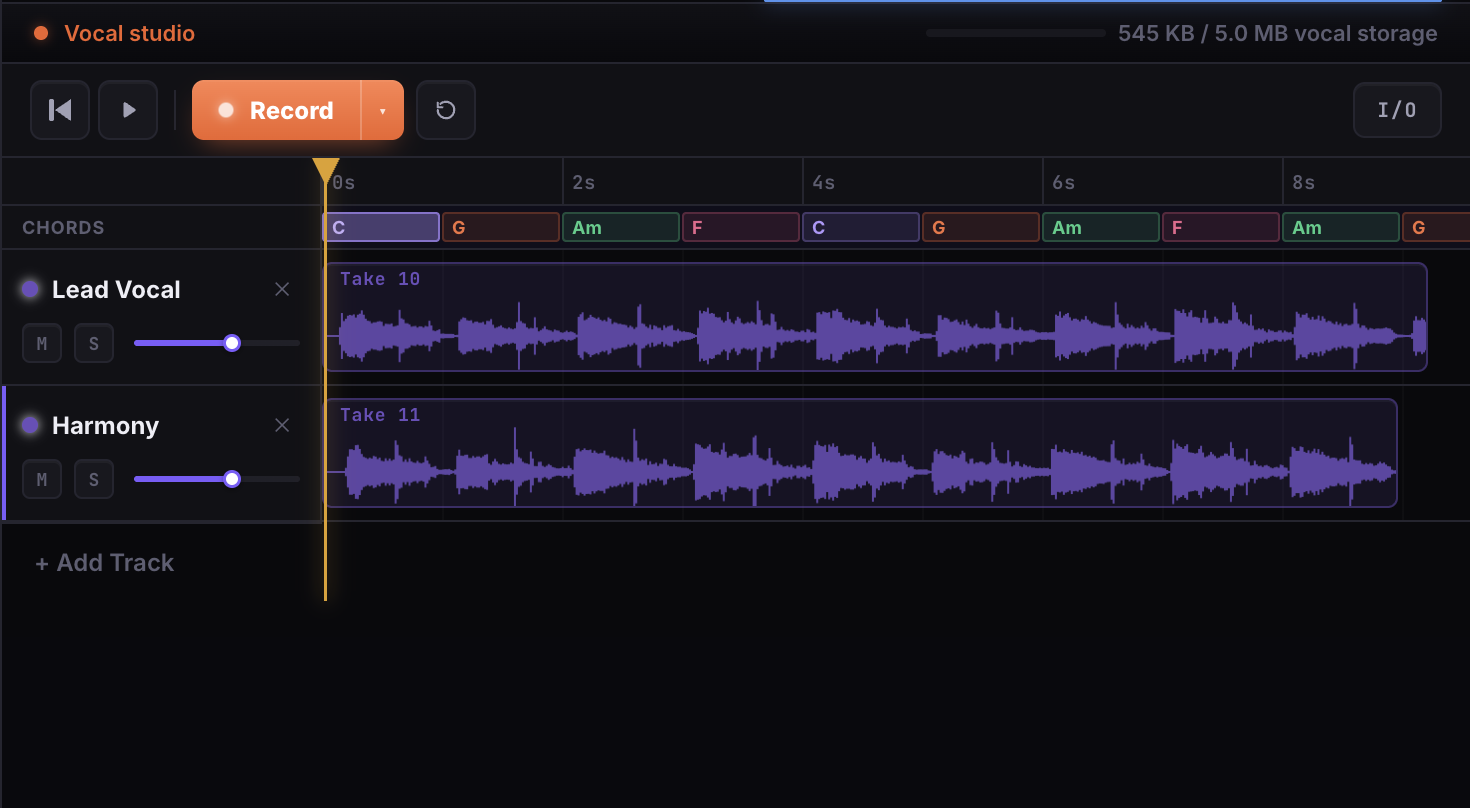
Before you record a single vocal, build a chord progression in your song editor and lay down a basic drum pattern — even just a kick and a snare. Then bake those into a stereo backing track and set it up to loop the section you are recording. Listen through headphones while you sing.
A backing track solves three problems at once:
- Timing: The kick and snare give you a pulse to lock into. Your phrasing becomes more consistent take over take.
- Pitch: Hearing the chord underneath your voice makes it much easier to sing in tune. Pitch problems on vocals are often actually pitch confusion — the singer cannot hear the harmonic context clearly enough to know where center is. If a guitar is the thing drifting, check it against a free online chromatic tuner before you record rather than after.
- Performance: Singing to a real groove is more emotionally engaging than singing to nothing. The energy in the vocal reflects the energy in the backing.
This is why working in a tool where chord building, drum programming, and vocal recording are in the same session matters. If you build the backing track and the vocal are in the same place, the loop is already there when you need it.
Full takes over punch editing
When you make a mistake in a take, the instinct is to stop, rewind, and punch in over just the problem phrase. This can work, but for demo recording it has a significant cost: the two pieces of the take — before the edit and after it — often have slightly different energy, breath, and dynamic feel. The result is a vocal that is technically clean but feels stitched together.
For demos, a better approach is to record the full section several times from start to finish and choose the best complete take.
Three full takes of a verse is typically enough. By the third take, you have usually warmed into the performance, ironed out the instabilities of take one, and still have the freshness that disappears if you do too many repetitions.
Then choose the take with the best overall feel, not the one with the fewest mistakes. A performance with one slightly flat note but real emotional conviction is more useful as a demo than a technically perfect take that sounds detached.
The standard to aim for
The demo is a working document. It exists to help you develop the song, and possibly to share with a collaborator or producer who needs to hear the song in order to imagine what it could become.
It does not need to be releasable. The producer or co-writer you share it with has heard thousands of rough demos. They know how to hear through a bad room or an imperfect pitch to the song underneath.
The standard to aim for is: can you hear the melody? Can you hear the lyric? If both of those are true, the demo works.
Done beats perfect. A demo you record in your closet today is more valuable than a perfect demo you never get around to making.
Once your demo is recorded, you might want to layer harmonies over it. See how to layer vocals for thick, lush harmonies. Or go back to the beginning with how to record your first vocal demo in the browser. The Vocal Studio → Try it has everything you need in one place.