Songwriting Apps for Beginners, What Actually Helps
Most "best songwriting apps" lists are written for people who already write songs. If you're starting out, the question is different: you don't need the most powerful tool, you need the one that gets a song out of you before the doubt shows up.
Here's what actually matters when you're choosing a songwriting app as a beginner — and what you can ignore.
You need chords without a theory exam
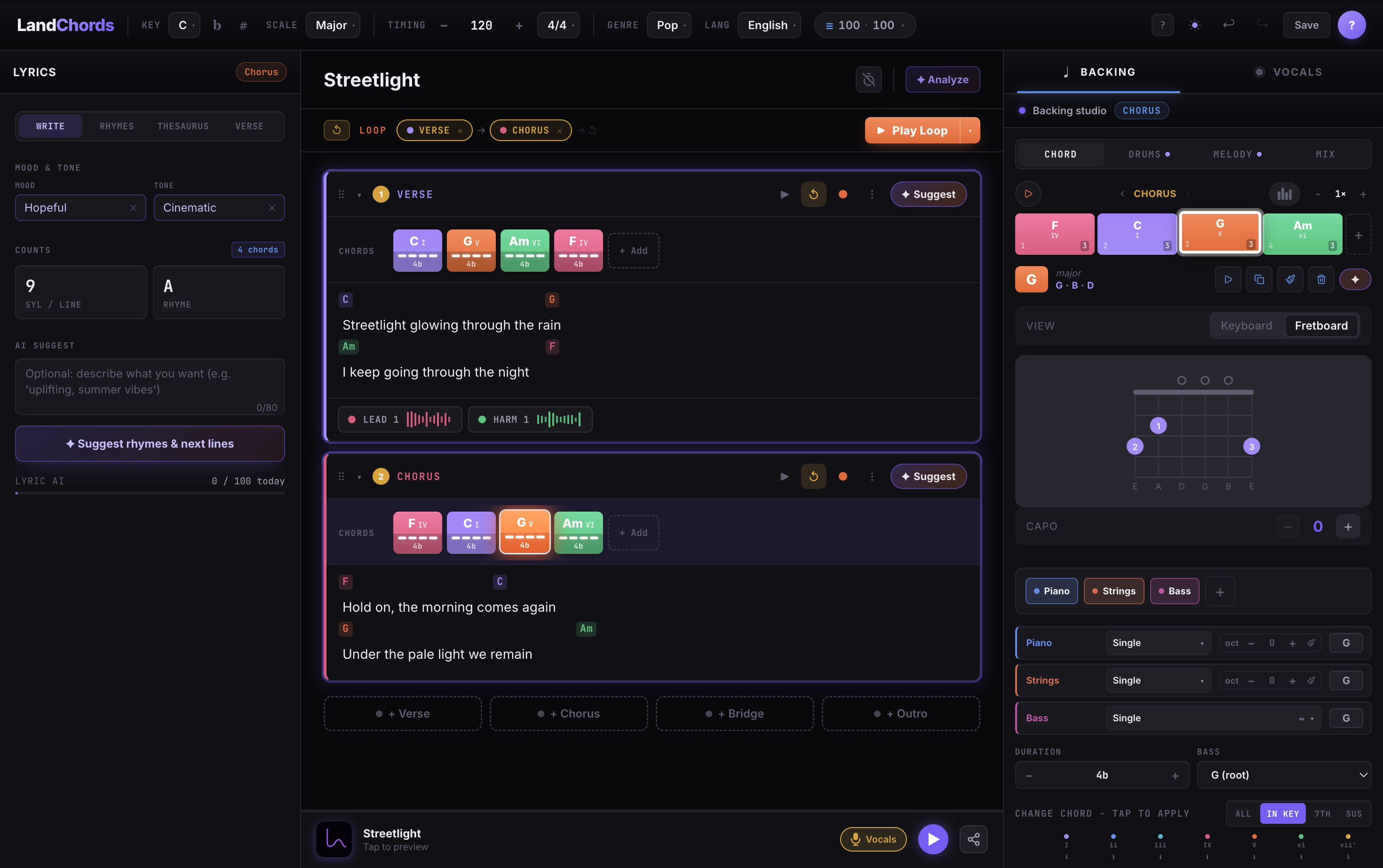
The fastest way to stall a first song is a blank page that expects you to already know what a ii–V–I is. Look for an app that shows you which chords belong in your key and lets you hear them immediately.
This is why degree-based tools work so well for beginners. In a Chord Maker → Try it that thinks in Roman numerals, the app shows the seven chords that fit your key, colour-codes them, and plays them back with real instruments. You build progressions by ear and absorb the theory as a side effect, instead of needing it up front.
Your lyrics should live next to your music
A notes app for lyrics plus a separate chord chart is how verses and chords drift apart. Pick a tool where the words and the chords are the same document — ideally where you can Lyric Lab → Try it so you can hear whether the line lands where you meant it to.
A built-in rhyme finder and syllable counter help more than they sound like they would. Beginners tend to overstuff lines; a live syllable count makes the problem visible.
Recording should be one button, not a project
The melody in your head is the most fragile part of a new song. If capturing it means setting up a recording project, choosing an input, and naming a file, it's gone.
A Vocal Studio → Try it — loop the section, hit record, sing — keeps the idea alive. You're making a sketch, not a record. Two tracks are plenty at this stage.
What you can ignore (for now)
- Mixing and effects. A demo doesn't need a compressor. When a song deserves production, you'll export it to a Online DAW → Try it later.
- MIDI editing. Useful eventually, a distraction on day one.
- Notation. Unless you read music already, skip apps built around scores.
A simple test
Open the app and try to go from nothing to a recorded eight-bar idea — chords, one sung line — in under ten minutes. If you can't, the tool is aimed at someone further along.
LandChords is built for exactly that loop: pick a key, tap in chords that the app guarantees will fit, write a line against them, and record it — all in one browser tab, saved to your song library automatically. Start free, no credit card, and see if a song falls out.